
IN THIS ARTICLE
Understanding Entity Activation and the Activation Type System
An Entity in Open 3D Engine (O3DE) is made up of a list of Components and a state, which can be Constructed, Initialized, Active, Inactive. When the Entity’s state changes, the Entity calls the appropriate functions on the components in its list (Initialized, Activated, Deactivated respectively) to let them know about the state transition.
Activating and Deactivating an Entity
Scripting and GameEntityContext
The ActivateGameEntity and DeactivateGameEntity Script Canvas nodes can be used to handle entity state.
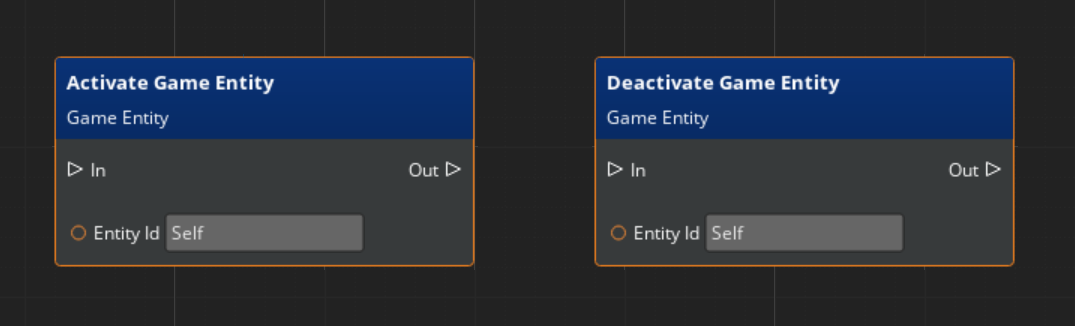
In C++, AzFramework::GameEntityContextRequestBus can be used to set an entity’s active state:
AzFramework::GameEntityContextRequestBus::Events::ActivateGameEntityAzFramework::GameEntityContextRequestBus::Events::DeactivateGameEntity
These, like the Script Canvas nodes, handle everything for you directly.
Note:Note that when deactivating an entity that has transform children, their children will also automatically deactivate. Reactivating the entity will restore their children. This is non destructive and preserves whatever state the child was in otherwise.
Direct Entity Active State Control
If you wish to directly control an entity’s active state there are a few subtleties. Direct Entity handling is only necessary in controlled and systemic environments where you want direct command of the state-changing stages and where you’ll handle them.
Handling entity activation manually requires two steps to properly work:
- You need to change its desired state by using the
SetEntityActive, orSetEffectiveActiveLayerByTypeIndexmethods. - You then need to call its
ApplyEffectiveActiveStatemethod to make it actually process its new Active State and change to it accordingly.
The purpose of this segmentation is to allow systems to make many changes to an entity’s state, then once finalized, apply it once. Removing any excessive update calls.
How an Entity determines its Active State
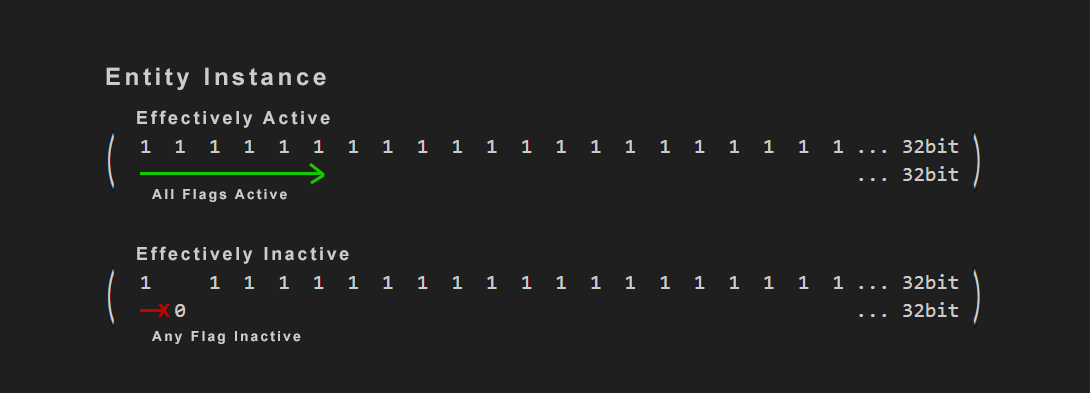
The entity activation state is controlled indirectly. At runtime, the Entity contains a 32-bit set of user-defined flags, all active by default, any of which can be registered by other systems to use. After changing the bits that are set, Entity::ApplyEffectiveActiveState is invoked to compute the state transition. The entity will transition to Active if all bits are set or Inactive if any bit is unset. Systems that want to manage entity activation state can register a bit index to control, and then toggle those bits to activate and deactivate entities.
//! Sets the explicit local entity state. Index 0.
bool SetEntityActive(bool active);

//! Gets the active state by type index.
bool GetEffectiveActiveLayerByTypeIndex(size_t index) const noexcept;
//! Sets the active state by type index.
bool SetEffectiveActiveLayerByTypeIndex(size_t index, bool active);

//! Evaluates the active state flags to set the entity's Activated/Deactivated state.
bool ApplyEffectiveActiveState();

//! Returns the current effective active state of the Entity.
bool IsEffectivelyActive();
As an example, one bit is already reserved for whether the entity itself should be active or not (explicitly), and another bit is reserved by the Transform system (which stores the parent/child relationships between entities). The transform system controls one of the bits in the bitset related to whether a parent is active or not.
By using Entity::SetEffectiveActiveLayerByTypeIndex you toggle the entity’s bit of your registered type’s index. Using the example above you would have 2 bits “11”, the first index (0) is the “Entity” type, and the second index (1) would be the “Parent” type. When an entity applies it’s effective state, it will become effectively active if both bits are set active: “11”, or effectively inactive if any one or both bits are set inactive: “01”, “10”, “00”.
Creating and Registering a Custom Activate Type
Using the AZ::EntityActiveSystemRequestBus, you can get and handle the registration of Active Types and their index position on the entity’s bit set.
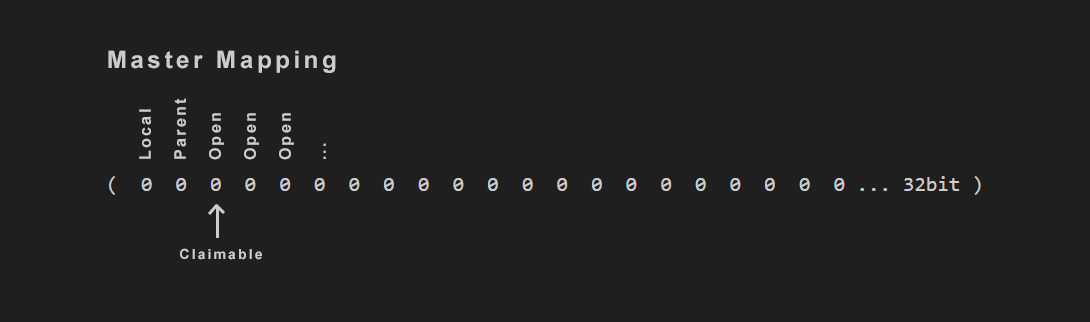
Getting a Type that doesn’t exist will automatically register a new type, and return that registered index if successful.
Get calls can be done by string or by Crc32 id.
size_t GetActiveTypeIndexByName(AZStd::string typeName);

size_t GetActiveTypeIndexById(AZ::Crc32 typeNameId);