
Distribution Properties
Distribution Properties are used in a number of places in the Particle Emitter properties panel. They are called Distribution properties becuase they generally describe a distribution of values (curve over time, random, or constant), rather than a single specified value.
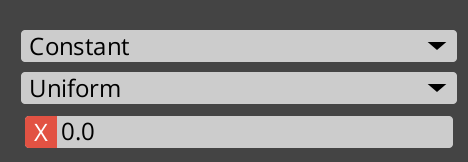
They consist of a selector that lets you change what the input value comes from, and other controls related to what the selector is set at.
The selector can be:
- Constant - meaning, the value is just always a specific single constant value (or specific color, for color properties).
- Random - meaning, the value is chosen at random between a given range of values (or colors). When set, you must also pick when the random number is chosen.
- Update Once - meaning, the value is different for each particle system, but is always the same value for that given system.
- Update Per Frame - meaning, a new random value is chosen every frame.
- Update Per Spawn - meaning, a new random value is chosen for each spawned particle.
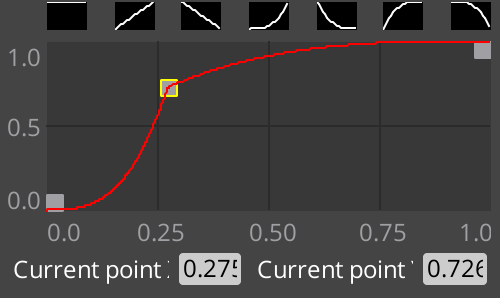
- Curve - meaning, a curve is sampled to fetch the value. When set, you must also pick a value for the curve to actually sample from (to scale its horizontal axis)
- “Emit duration” - Starts at 0.0 when the emitter is activated, and moves to 1.0 as the emitter emits its particle bundles, particles, etc, until it loops.
- “Particle lifetime” - Starts at 0.0 when a particle is emitted, and moves to 1.0 when the particle reaches its lifetime value.
- A curve editor is used and you can fine tune the value:
In addition, if the value being edited is a vector (x, y, z), an additional control appears to select between uniform and non-uniform values.
- Uniform applies the same value (x) for all other components (y and z).
- Non Uniform allows individual specification for the components (x, y, z)